Mixed Games
Mixed Games
In the new 'Mixed Games' game format, multiple Poker variants rotate in sequence throughout a single game session. This challenges you to continuously adapt your strategies, offering a gameplay experience that is both engaging and skill-intensive.
With the launch of 'Mixed Games' , we are introducing the "8-Game" and "HORSE" Poker variants, designed to appeal to experienced players who enjoy variety and strategy-heavy gameplay.
"8-Game" variant
The "8-Game" Poker variant features a rotation of eight different poker games. These typically include 2-7 Triple Draw, Hold'em, Omaha Hi Lo, Razz, 7 Card Stud, and 7 Card Stud Hi Lo played in Limit bet format, as well as Hold'em and Omaha games played in No Limit bet format.
"HORSE" variant
The "HORSE" Poker variant consists of 5 Limit games played in rotation. Those games are Hold'em, Omaha Hi Lo, Razz, 7 Card Stud, 7 Card Stud Hi Lo played in Limit bet format.
Mixed Games availability
The mixed game variants ("HORSE"/"8-Game") have a dedicated tile design.
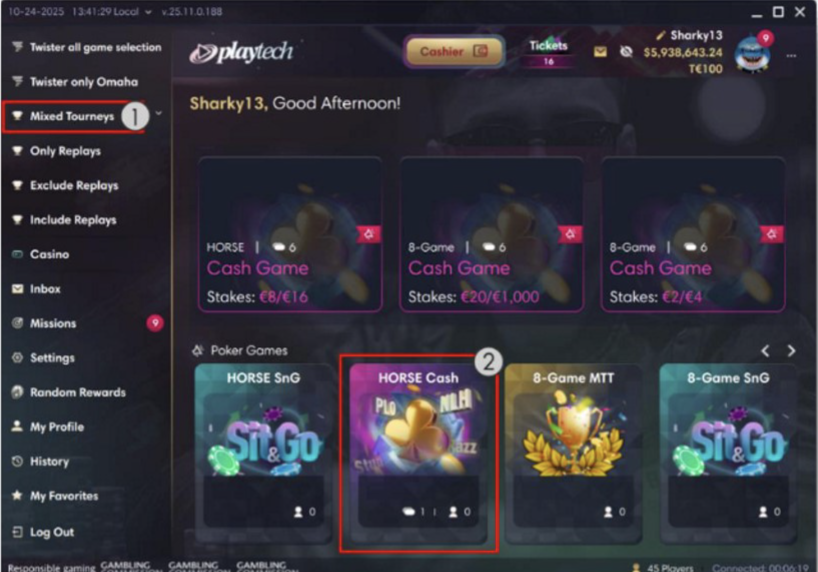 |
Mixed Games are available in regular Cash/Tournament game lobbies, alongside other games, as well as in dedicated Mixed Game lobbies.
Game lobby changes
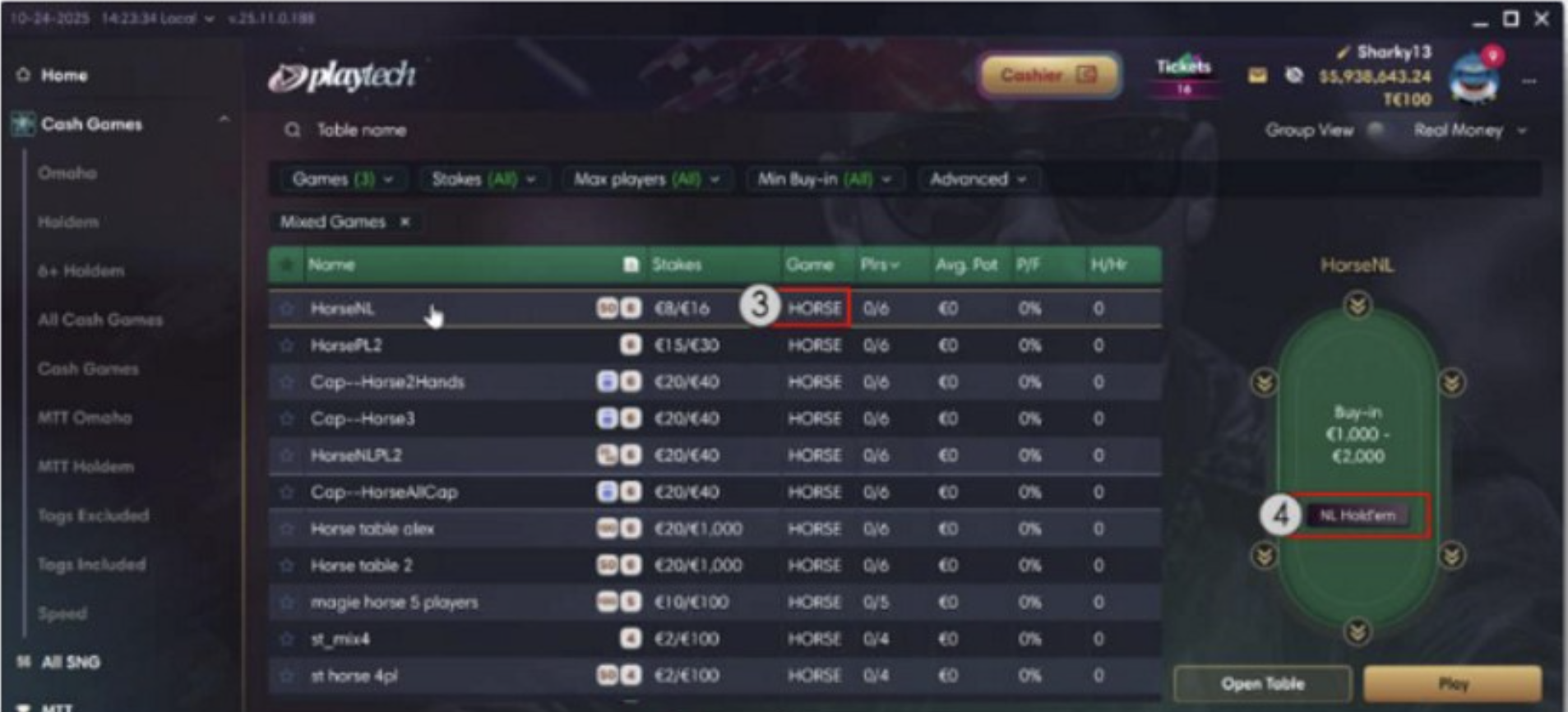
When you access a dedicated mixed game lobby or one with both mixed games and other games, you can find the 'Mixed Games' game format in the lobby grid. The game variant of the selected 'Mixed Games' game format is shown in the "Game" column (3).
Additionally, the side panel within the Cash game lobbies of the Download Desktop client contains a small tile within the poker table, indicating the currently active game type of the selected mixed game variant (4).
 |
Tournament lobby changes
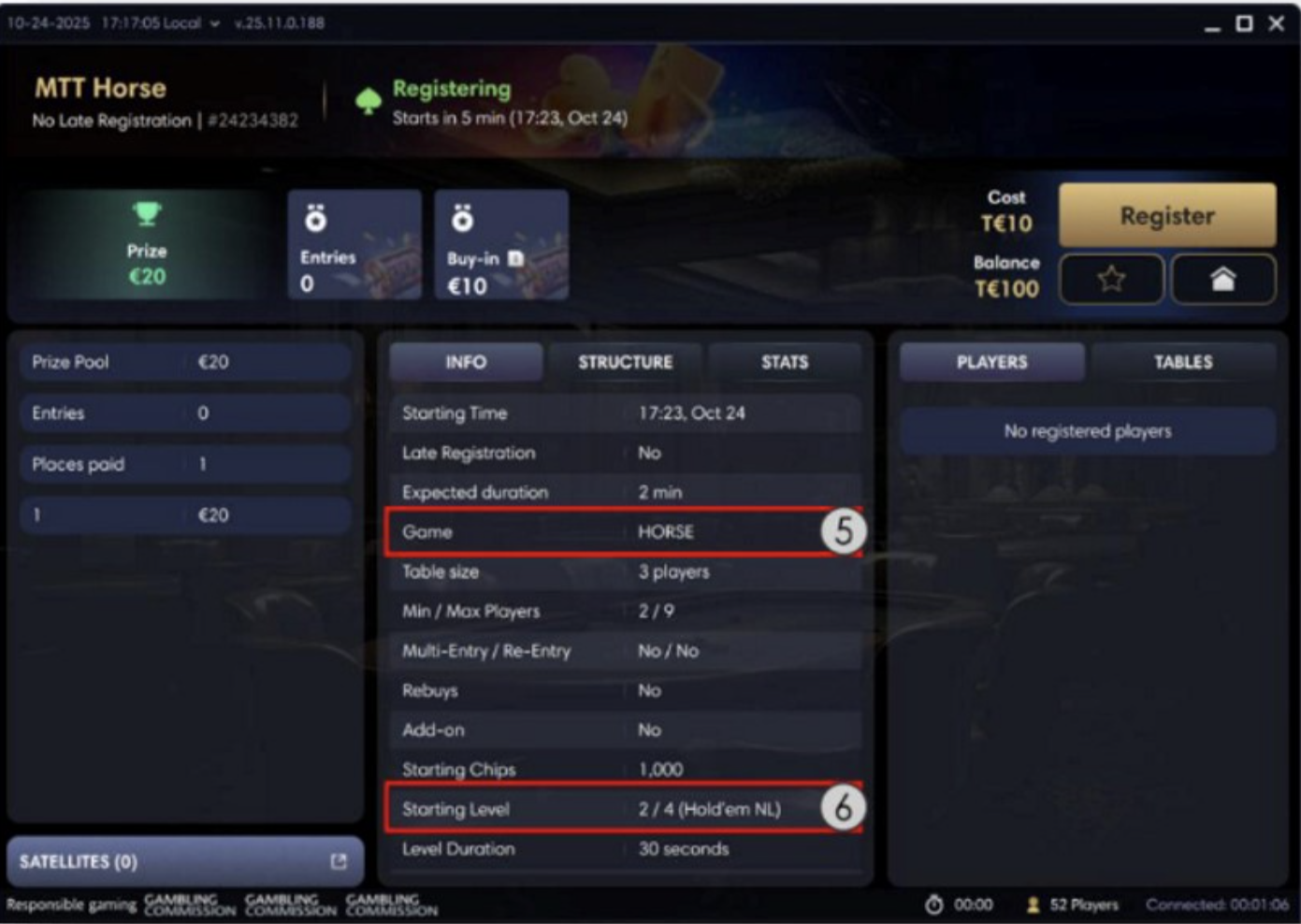
When you select a mixed games tournament and opens its lobby, you can see all the needed Mixed Games details there.
The Info tab informs you about the Mixed Game variant (5) and the game type of the first blind level (6).
 |
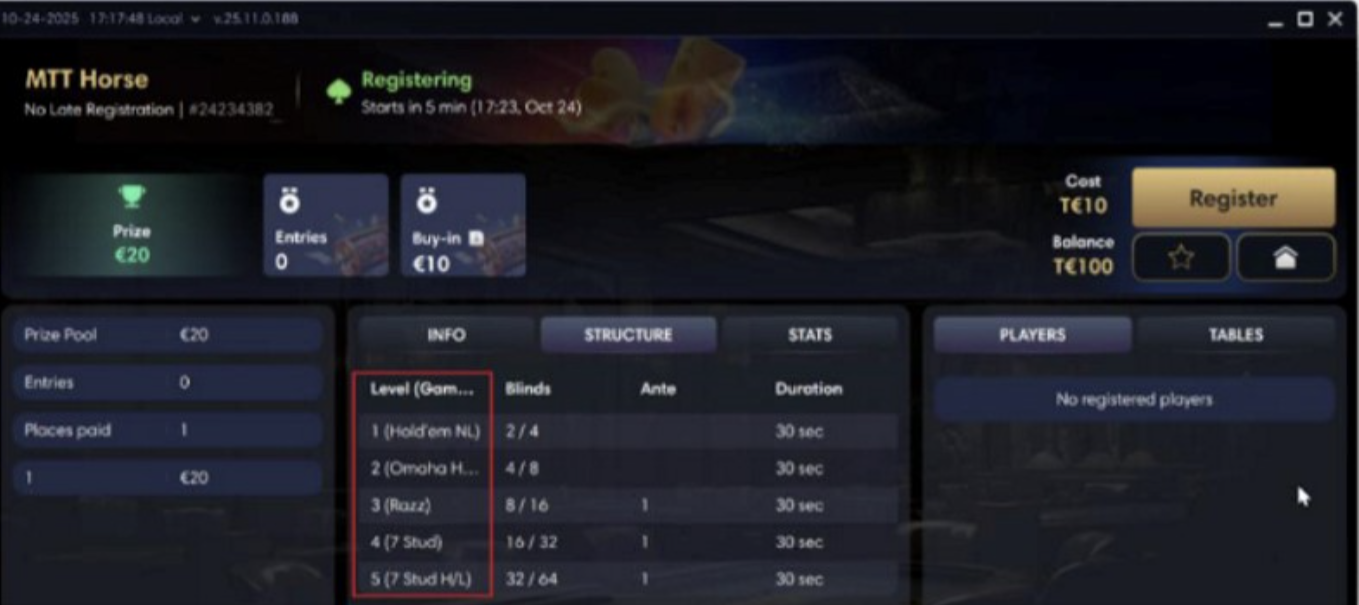
The Level (Game type) column within the Structure tab provides information about the game types configured for each blind level.
 |
Mixed Games gameplay
Due to the dynamic nature of the mixed game formats, you are kept informed about the current and upcoming game types throughout their session.
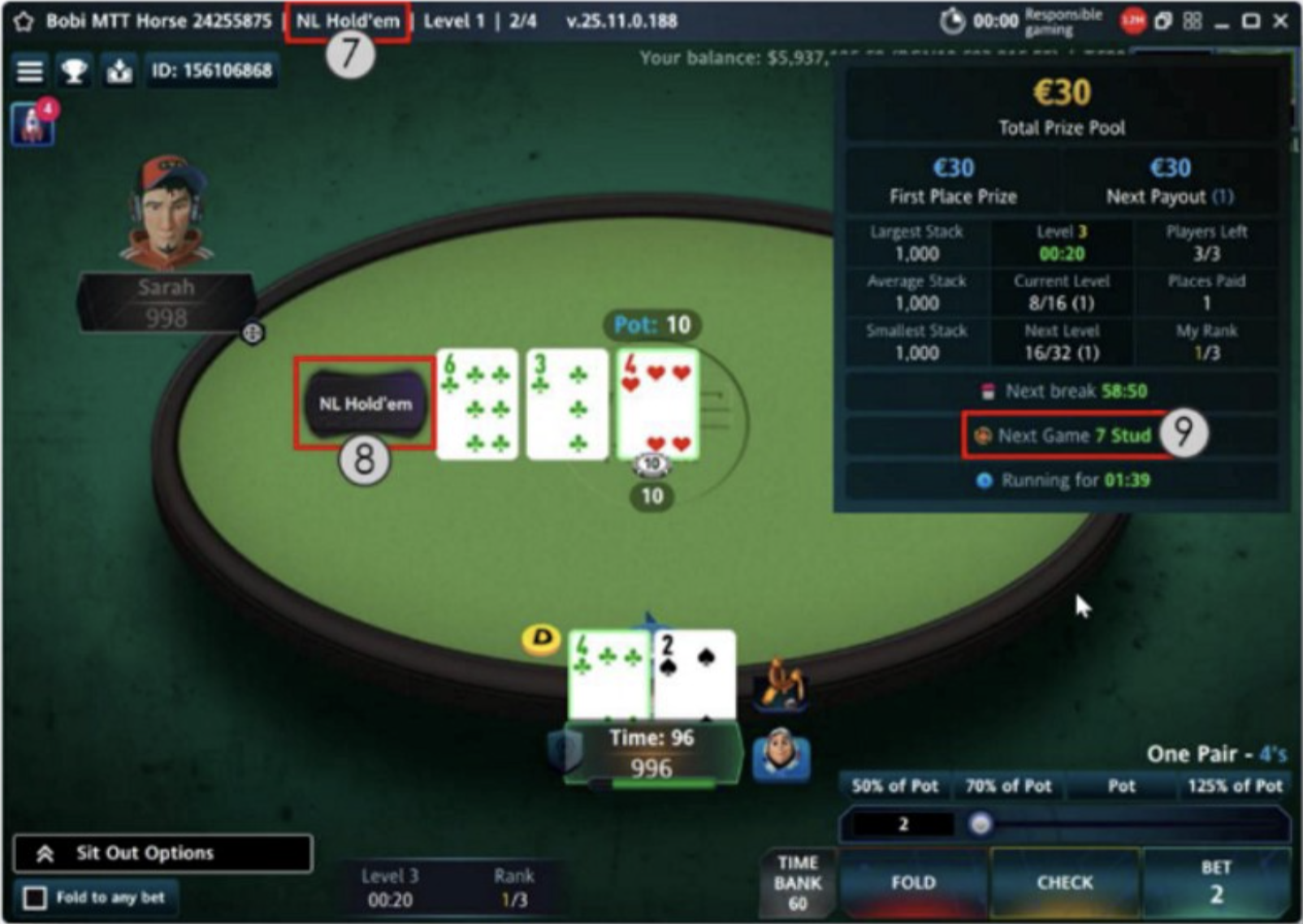
The table header (7) and game type indicator (8) show the currently active game.
For mixed cash games, the game type indicator also shows the next game rotation according to the specified rotation method.
If the games' rotation is based on a number of hands, the indicator shows the current hand number out of the total number of hands until the next game rotation.
If the games' rotation is based on a time interval, the indicator shows the remaining time until the next game rotation.
In addition, clicking or tapping the game type indicator of mixed cash games opens a tooltip with information about the past and upcoming game types, game rotation method, and the remaining time/number of hands until the game changes.
In mixed game tournaments, the tournament info panel shows the upcoming game type (9).
 |
Before the game type change, you receive a notification informing you about the upcoming game type (10). Then, the game type changes and the gameplay continue seamlessly with the new game type, accompanied by a smooth animation updating the game type indicator (11).
|
Changes in the history-related functionalities
Hand History changes
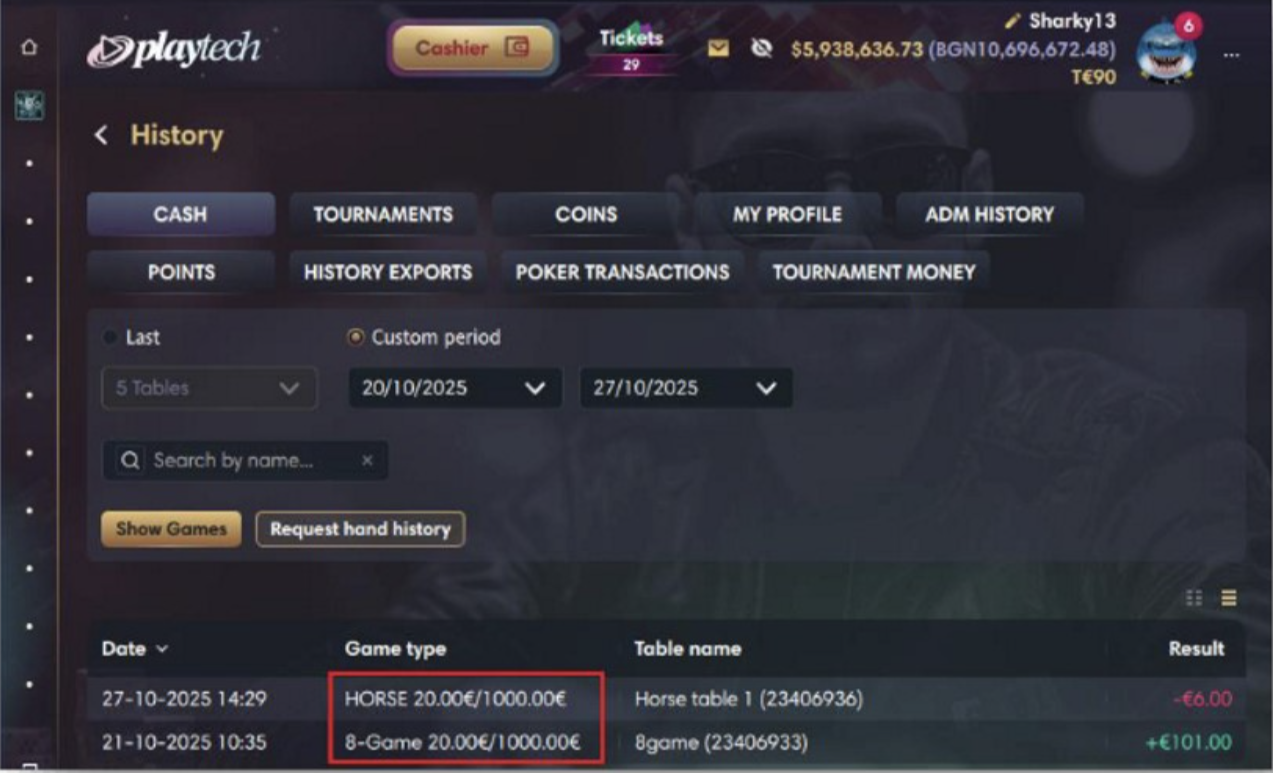
The Mixed Game variants ("HORSE" and "8-Game") are supported in History's main page, available in both detailed and simplified views.
 |
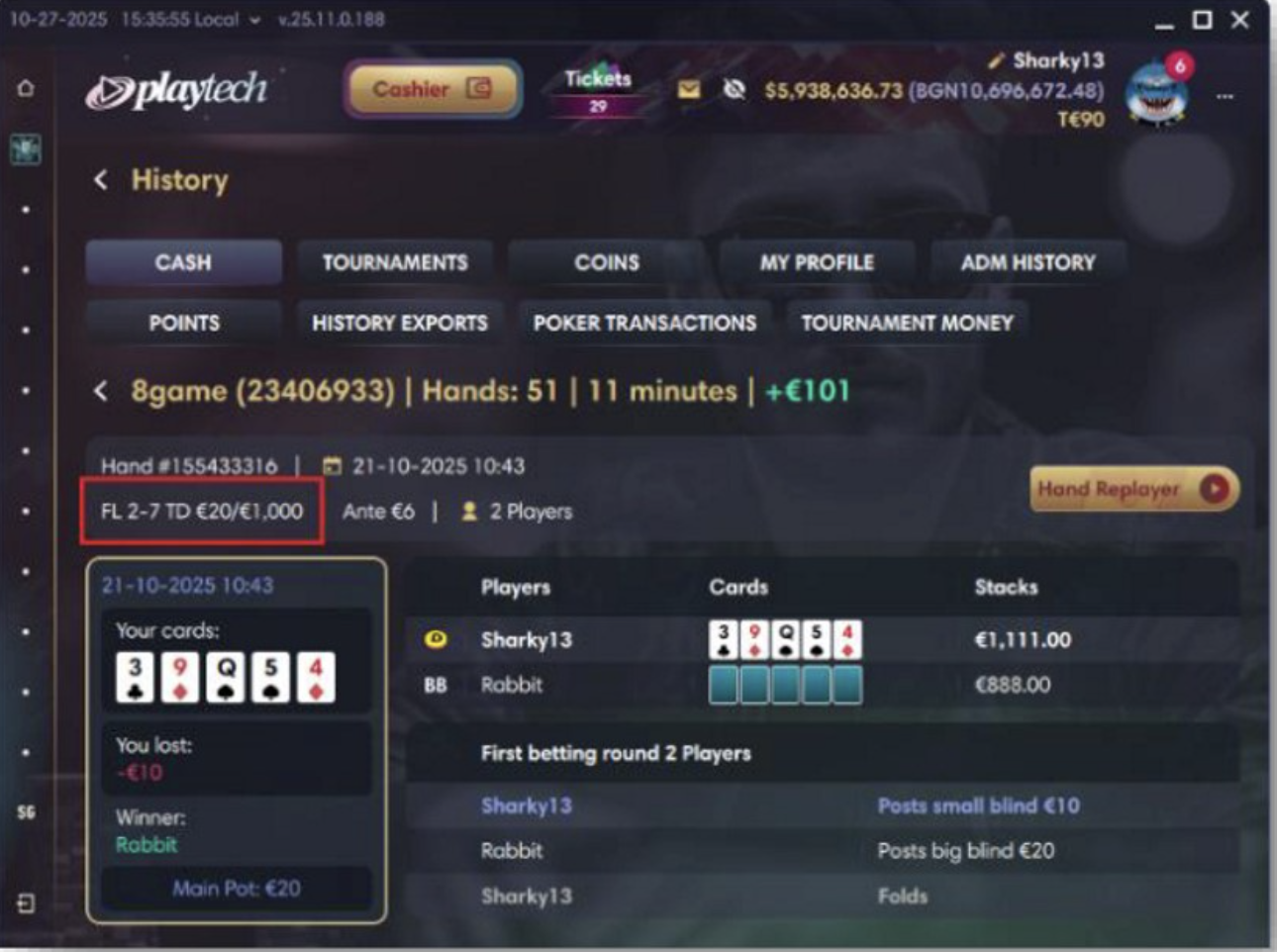
The game type that was played during the selected hand is shown below the hand ID.
 |
Changes in the Hand History Replayer
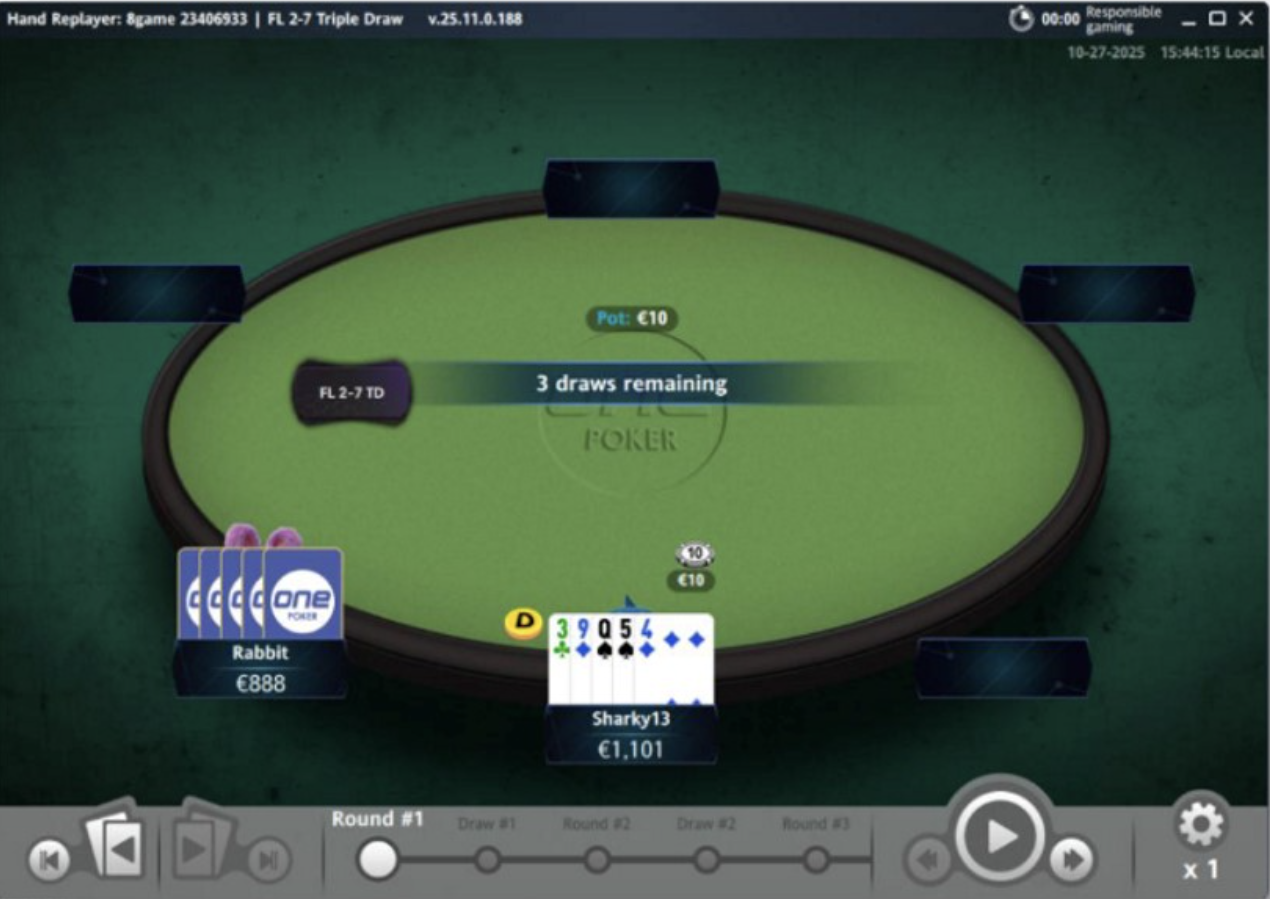
When you select a hand and opens its Hand History Replayer, you can see that the Mixed Games variants are represented as any other game type, with the difference that the game type indicator is also shown. As you browse through hands from different game types, both the street navigation and the game type indicator update accordingly to reflect the transition.
 |