Brand New ‘All-in or Fold’ Game Format
iPoker unveils the brand-new All-in or Fold (AoF)– a thrilling, fast-paced game format, where the players can either go all-in or fold before the flop.
The AoF game format is supported for Hold’em and Omaha games and can be used in a Cash game or tournament (Shootout SnG, Shootout MTT, Satellite).
Note that the AoF game format isn't used for Speed games, Flight, Twister, Twister Arena, and Knockout tournaments, as well as Knockout Sit & Go’s. In addition, the game format does not support the Tournament Deals, Run it Twice, and Cash Out functionalities.
Accessing AoF games
You can access the AoF game format from either of the following places:
▪ Game tile in the Poker Games section of the clients’ Home pages.
▪ Featured game tile in the Featured Games section of the clients’ Home pages.
▪ Navigation menu option in the Desktop client.
In addition, there are dedicated game tiles for AoF tournaments, AoF cash games, and AoF Sit and Go’s.
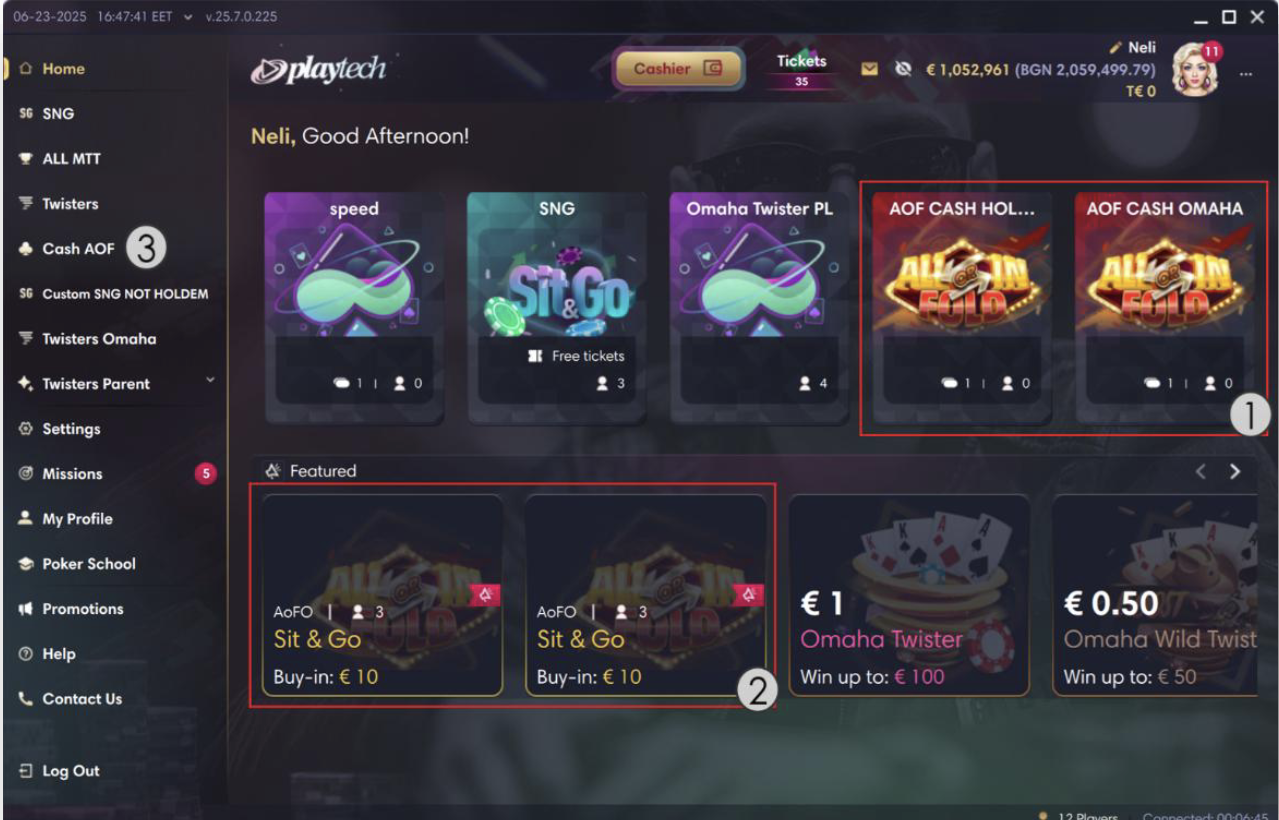
Example showing the dedicated AoF game tile design, AoF recommended tile design? as well as an AoF navigation menu item:
 |
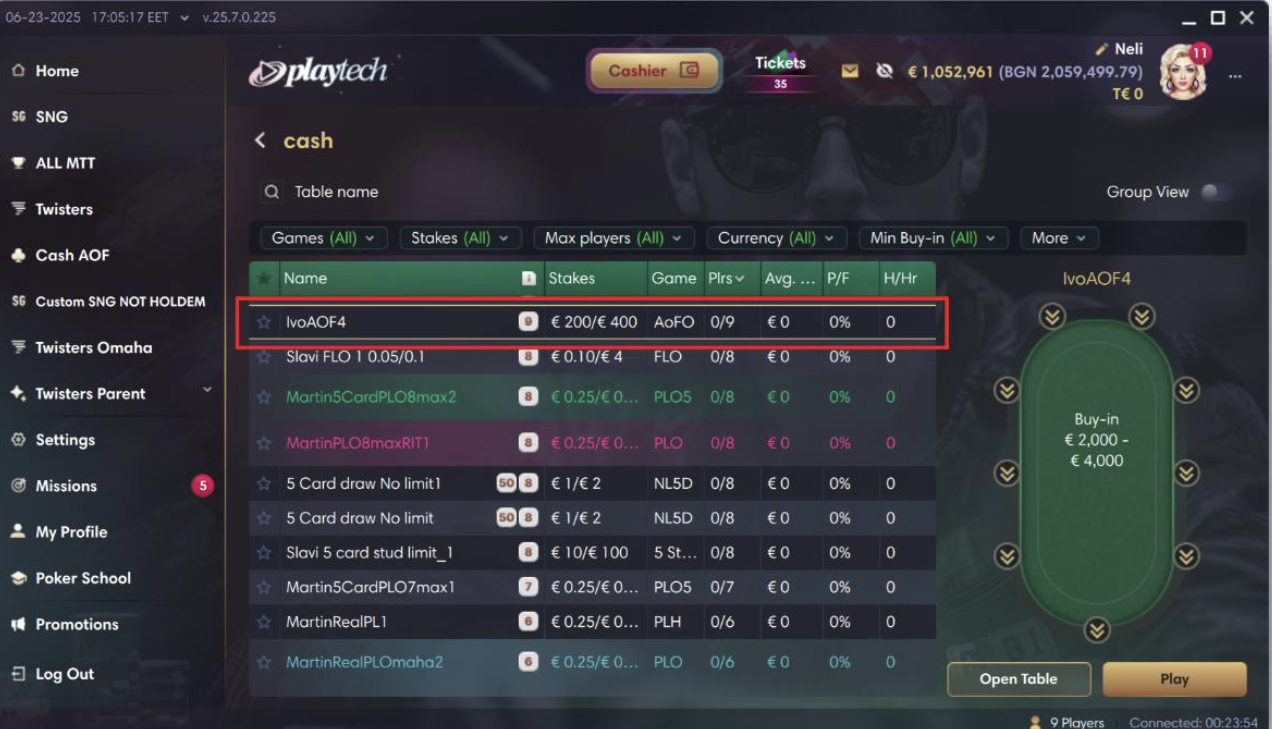
The views with AoF games follow the same layout as any other cash games or tournaments views. Example showing an AoF Cash game displayed in a Cash view together with other Cash games:
 |
Joining AoF games
You can join AoF games in the same way they join regular cash games and tournaments.
AoF Gameplay and Rules
When a player joins a given cash game or tournament, you are seated on a specially themed AoF table.
Example of an AoF Hold’em cash table:
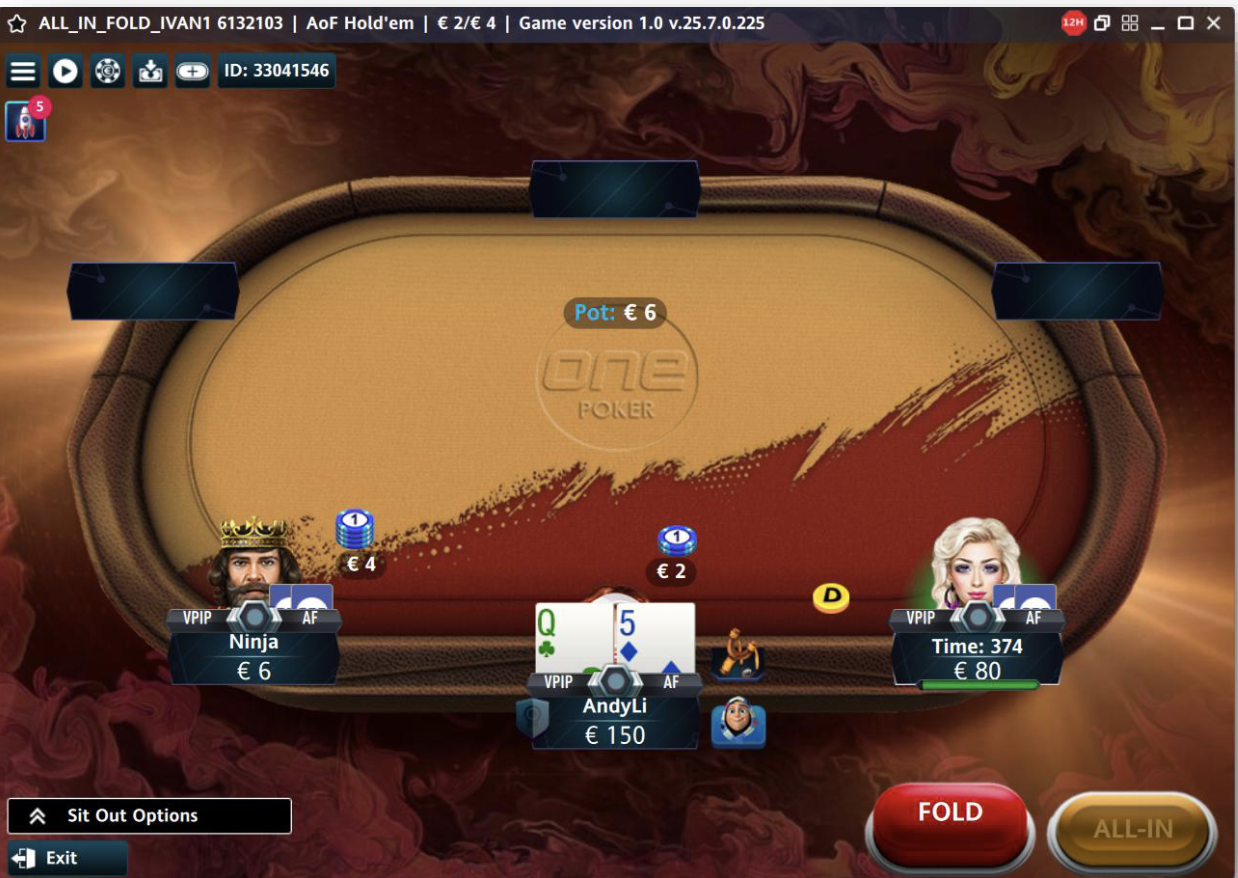 |
As soon as you are dealt your hole cards, you are given the option to either fold or go all-in (visible above). You can toss the All-in/Fold buttons as many times as you wish during your or your opponents’ turns. Selecting a button triggers an animation making the button appear as if it is pushed. The goal is to have an action selected by the end of the player’s turn.
Except for the short hand duration and the limited player actions, everything else regarding the gameplay is the same as in regular cash games/tournaments.